Picture a pool service company in Chandler that runs the whole business out of the owner's garage. When the owner set up the Google Business Profile, the form asked for an address, so they typed in their home. Now the house shows up on Google Maps with a Directions button, and a customer could knock on the front door on a Saturday morning asking about a pump repair. Worse, the profile is quietly breaking one of Google's address rules.
Both problems come from the same decision, and it is one of the most common setup mistakes we see on local profiles. The fix is not complicated once you know which kind of business Google thinks you are.
Google Sorts Businesses Into Three Types
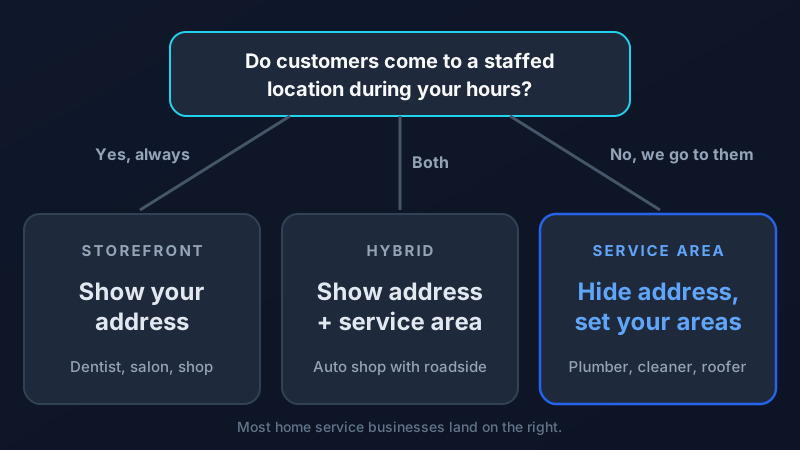
Google Business Profile treats every local business as one of three types, and the type decides whether your address should be public.
- Storefront businesses serve customers at a location that is staffed during business hours. A dentist, a restaurant, a salon, a retail shop.
- Service-area businesses go to the customer. A plumber, a mobile detailer, a house cleaner, a roofer, a pool service. Customers never visit the business location.
- Hybrid businesses do both. An auto repair shop that also offers roadside service, or a carpet store that also sends installers to homes.
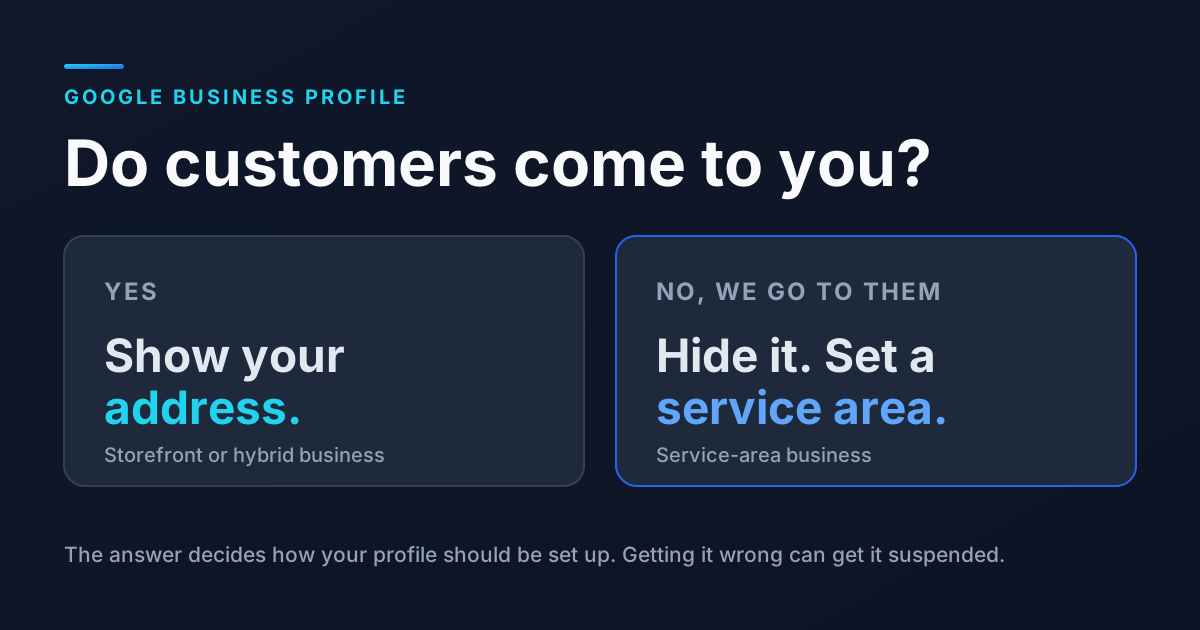
Google's own help center is direct about it: if your business does not have a storefront where you receive customers, you must hide your business address. Hybrid businesses can show their storefront address and add a service area. You can read the rules yourself in Google's guide to managing your service area.
Why Showing a Home Address Causes Trouble
Most owners who list a home address are not trying to game anything. The form asked, so they answered. But a visible address tells Google and customers that people can walk in. When that is not true, a few things tend to happen.
1. Strangers show up at your house
Your address appears on Google Maps with directions. Some people will use them, and not always at a convenient time.
2. The profile gets flagged
Showing an address where customers are not served goes against Google's guidelines. Profiles that break the address rules can be suspended, and getting a suspended profile reinstated takes time and paperwork. During that time, you disappear from Maps.
3. Competitors can report it
Anyone can suggest an edit or report a listing. A home address on a profile for a contractor is an easy thing for a competitor to point out.
What Counts as a Real Address (and What Does Not)
Some owners try to solve the home address problem by renting an address somewhere more official. That usually makes things worse. Google's guidelines for representing your business spell out what qualifies.
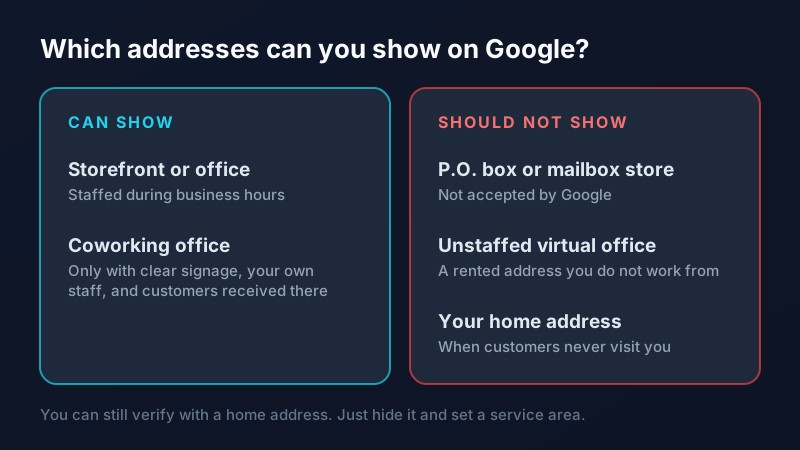
The short version: P.O. boxes and mailbox stores are not acceptable. Virtual offices only count if they are staffed during business hours. A coworking office can qualify only if it has clear signage, is staffed by your own team, and receives customers. If none of those describe you, you are a service-area business, and that is completely fine.
How to Set Up a Service Area the Right Way
If you already have a profile with a visible address, you can switch without starting over. Open your profile, choose Edit profile, then go to the Location section. Clear or hide the business address and add your service areas. If you are creating a new profile, answer "No" when Google asks whether you have a location customers can visit.
- Add up to 20 service areas. That is Google's limit. Cities, ZIP codes, or counties all work.
- Stay within about two hours of driving. Google recommends keeping your overall area within two hours of where your business is based, unless your type of business genuinely travels farther.
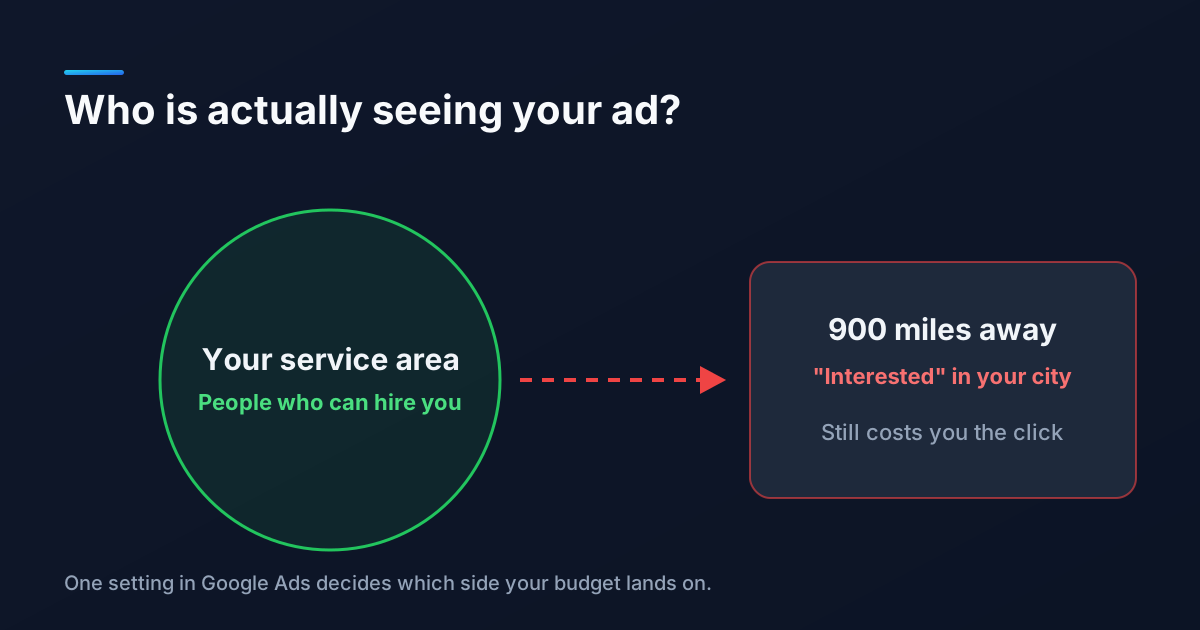
- List where you really work. If you never take jobs in Buckeye, do not list Buckeye. The same thinking applies to location targeting in Google Ads: reaching people you cannot serve never turns into customers.
- Keep one profile. Google asks for one profile per business per metropolitan area, and duplicate profiles for the same business can lead to suspension.
Will Hiding Your Address Hurt Your Rankings?
This is the question we hear most, and the honest answer is that hiding your address does not move your business. Google still knows where you are based, and that location still matters for how close you appear to someone searching. What changes is what customers see.
What service areas will not do is make you rank everywhere you list. Adding Scottsdale as a service area tells customers you go there. It does not, by itself, put you in the Scottsdale map results. For the cities you want to win beyond your home base, the work happens on your website: a strong service page for each core service, and a genuinely useful page for each city you want to compete in. On our own site, city pages for places like Mesa and Scottsdale have been among the pages showing up most in Google's AI answers, which tells you how much Google leans on real local content.
Your profile still has plenty of room to stand out after the address is hidden. Fill out every section, add real photos, and keep the reviews coming. Our Google Business Profile optimization guide covers the full checklist, and our guide to getting more Google reviews covers the part that tends to matter most.
If you are not sure whether your profile is set up correctly, or it has already been suspended, our local SEO team reviews profiles like this every week. Get in touch and we will take a look at yours.
Frequently Asked Questions
Should I hide my address on Google Business Profile if I work from home?
Yes, if customers do not visit you there. Google requires businesses without a staffed storefront to hide their address and show a service area instead. You can still use your home address to verify the profile. It just will not be displayed publicly.
Does hiding my address hurt my Google Maps ranking?
Hiding the address changes what customers see, not where Google thinks your business is based. Your verified location still factors into how close you are to a searcher. Ranking well in cities farther from your base depends more on reviews, a complete profile, and strong service and city pages on your website.
How many service areas can I add to Google Business Profile?
You can add up to 20 service areas. Google recommends keeping your overall service area within about two hours of driving from where your business is based, unless your type of business normally travels farther.
Can I use a P.O. box or virtual office as my Google Business Profile address?
No. Google does not accept P.O. boxes or mailbox stores, and a virtual office only qualifies if it is staffed during business hours. Using an address that does not meet the guidelines is a common reason profiles get suspended. If customers do not visit you, set up as a service-area business instead.