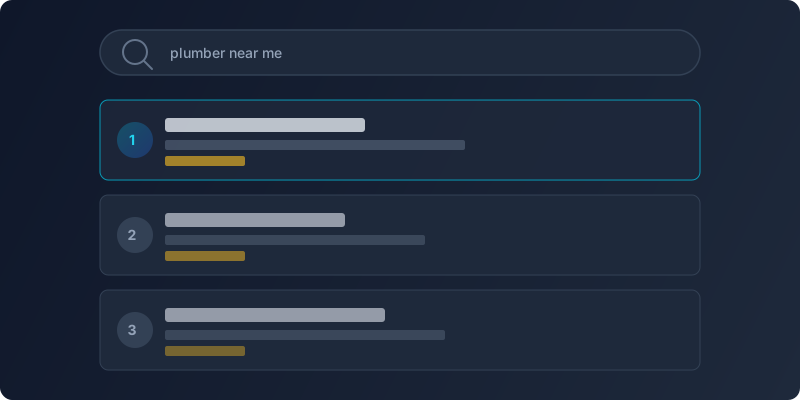
When someone searches for a local service, Google's map results appear before the organic listings. Those three businesses in the "Local Pack" get the lion's share of clicks, calls, and visits. The key to landing in that pack, and to converting those impressions into customers, is a fully optimized Google Business Profile (GBP). Avoiding common SEO mistakes is equally important for staying visible in local results.
Claim and Verify Your Profile First
If you haven't already, go to Google Business Profile and claim your listing. Google will send a verification postcard, phone call, or email depending on your business type. Until you verify, you can't control what appears in search results, and an unverified profile can be edited by anyone, including competitors or bad actors.
Once verified, treat your profile as a living storefront. Incomplete or outdated profiles signal neglect to both Google and potential customers.
Fill Out Every Section Completely
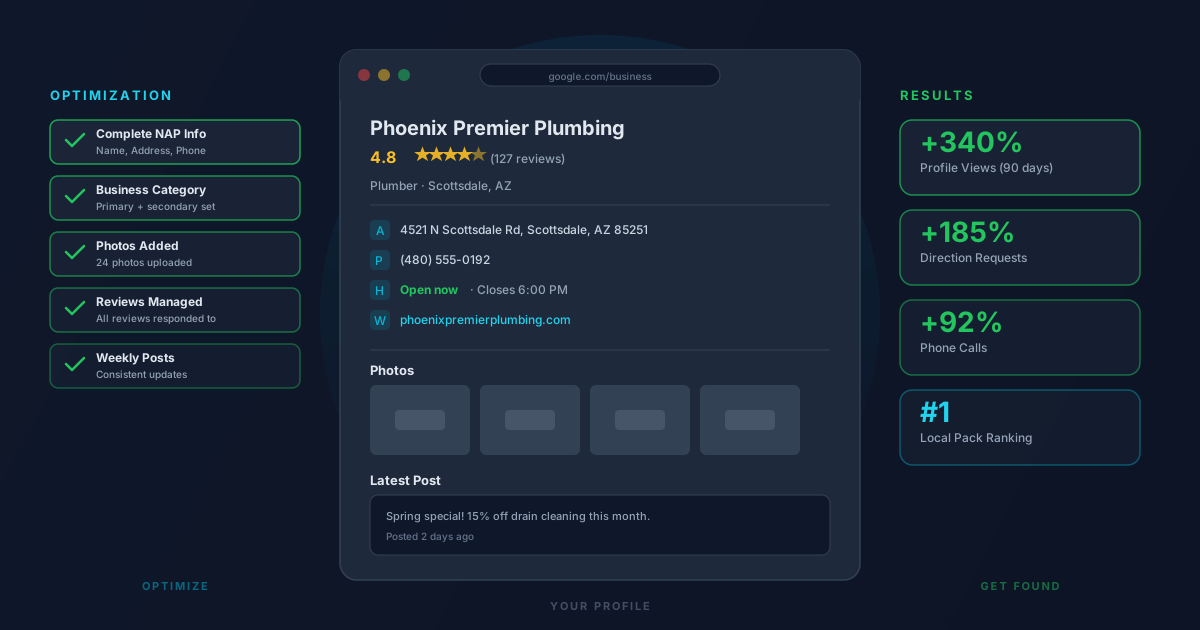
Google rewards completeness. Businesses with fully filled-out profiles get significantly more views and actions than those with partial information. At minimum, make sure you have:
Business name, address, and phone number (NAP): These must be consistent with every other directory listing online. Even minor differences (like "St." vs. "Street") can confuse Google and hurt your local rankings.
Business category: Your primary category has the biggest impact on which searches your profile appears for. Choose the most specific category that accurately describes your business. You can add secondary categories as well.
Business hours: Keep these current, including holiday hours. Nothing frustrates a potential customer more than showing up to a closed business because the hours online were wrong.
Website and phone number: Make sure these link to the correct destination and are actively monitored.
Write a Keyword-Rich Business Description
Your business description (found under the "Info" section) gives you 750 characters to tell Google and customers what you do. Use this space naturally but intentionally. Include the services you offer, the area you serve, and what sets you apart. Avoid stuffing keywords awkwardly, but do include the terms your customers would actually search for.
For example, a plumber in Scottsdale might write: "Family-owned plumbing company serving Scottsdale and the greater Phoenix area since 2008. We specialize in emergency repairs, drain cleaning, water heater installation, and repiping for residential and commercial clients."
Add Photos Consistently
Profiles with photos receive far more clicks and direction requests than those without. Add high-quality photos of your storefront, team, work samples, and products. Google favors profiles that are regularly updated, so adding new photos every month or two signals that your business is active.
Avoid stock photos. Authentic images of your actual business, team, and completed work build more trust than polished generic shots.
Use Google Posts to Stay Active
Google Posts let you share updates, offers, events, and news directly on your profile. These appear in search results and can drive immediate action. Posting once a week keeps your profile fresh and gives customers a reason to engage. Announce a seasonal promotion, share a client win, or highlight a new service.
Respond to Every Review
Reviews are one of the most powerful ranking factors in local SEO. Businesses with more reviews and higher ratings consistently outrank those with fewer. But the quality of your responses matters too.
Thank customers for positive reviews. For negative reviews, respond professionally and offer to resolve the issue. Never argue or dismiss a complaint publicly. How you handle criticism says more to potential customers than the original review itself.
To get more reviews, simply ask. Follow up with satisfied customers via text or email with a direct link to your review page. Most happy customers are willing to leave a review when the process is easy.
Enable Messaging and Keep It Active
Google allows customers to message your business directly from the profile. This feature can generate leads, but only if you respond quickly. Google shows your average response time publicly. If you can't commit to responding within a few hours, it's better to leave messaging off than to let inquiries go cold.
Frequently Asked Questions
How long does it take to rank in Google's Local Pack?
There is no guaranteed timeline, but a fully optimized profile combined with consistent review growth and local citations can produce noticeable improvements within 60 to 90 days. Competitive markets may take longer. Ongoing activity on your profile (new photos, posts, review responses) helps maintain and improve your ranking over time.
Does my Google Business Profile affect my website's SEO?
Your GBP and your website SEO are separate but connected. A strong GBP helps you rank in the Local Pack (map results), while your website SEO affects organic listings below the map. Both are important for local visibility, and signals like consistent NAP information and reviews benefit both.
What is the most important factor in Google Business Profile rankings?
Relevance, distance, and prominence are Google's three primary local ranking factors. Among things you can directly control, your primary business category, the completeness of your profile, and the volume and quality of your reviews have the biggest impact on where you appear in local searches.
Can I add keywords to my Google Business Profile?
You cannot add a standalone keyword field, but you can include relevant keywords naturally in your business description, service descriptions, and Google Posts. Avoid keyword stuffing, as Google can suppress profiles that appear manipulative. Focus on writing for customers first, and include keywords where they fit naturally.
How often should I update my Google Business Profile?
At minimum, review your profile quarterly to update hours, photos, and any changed information. For best results, post updates weekly or biweekly, add new photos monthly, and respond to reviews within 24 to 48 hours. Consistent activity signals to Google that your business is active and relevant.