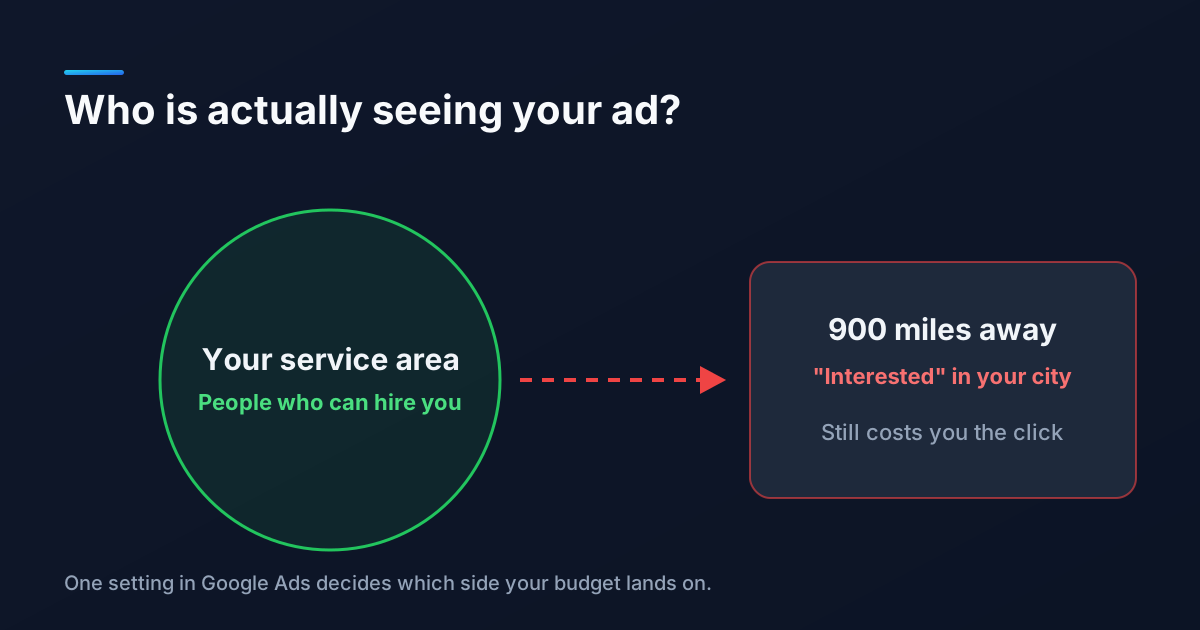
A plumber in Mesa runs Google Ads for a month, opens the reports, and finds clicks from Chicago, Toronto, and a suburb of Atlanta. None of those people are going to book a water heater replacement in Arizona. Every one of those clicks was paid for anyway.
This is one of the most common leaks we find when we audit a small business account, and it almost never comes from a mistake the owner made on purpose. It comes from a setting most people never open.
"Targeting Mesa" Does Not Mean "People in Mesa"
When you add a city to a campaign, Google Ads also asks how it should interpret that location. The choice sits under Location options in the campaign settings, and for many campaign types the preselected answer is Presence or interest. That option shows your ad to people who are in your area, people who regularly spend time there, and people anywhere in the world who have shown interest in your area.
"Interest" is the problem. Someone in Chicago planning a spring trip who searches for things to do in Mesa now counts as interested in Mesa. If they later search for a plumber back home, your ad can still be eligible to show to them.
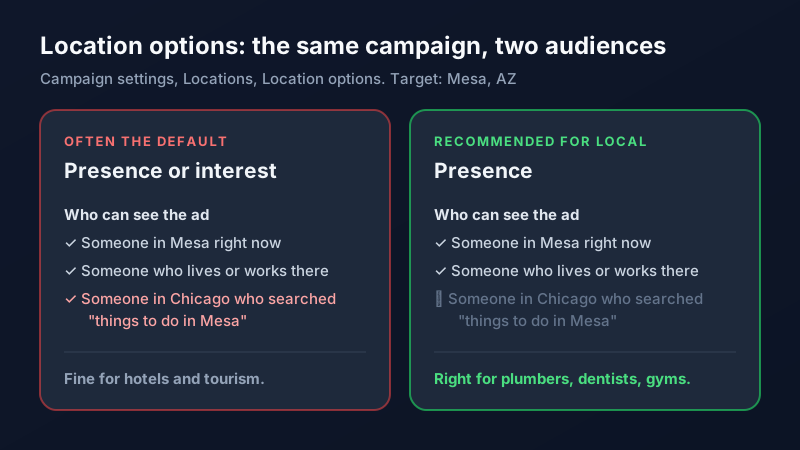
For a hotel, a wedding venue, or a tour company, interest is exactly the audience you want, because your customers live somewhere else. For a business that drives to the customer or needs the customer to walk in, it is wasted money.
The 15-Minute Location Audit
You can check and fix this yourself in one sitting. Go campaign by campaign, because each one has its own settings.
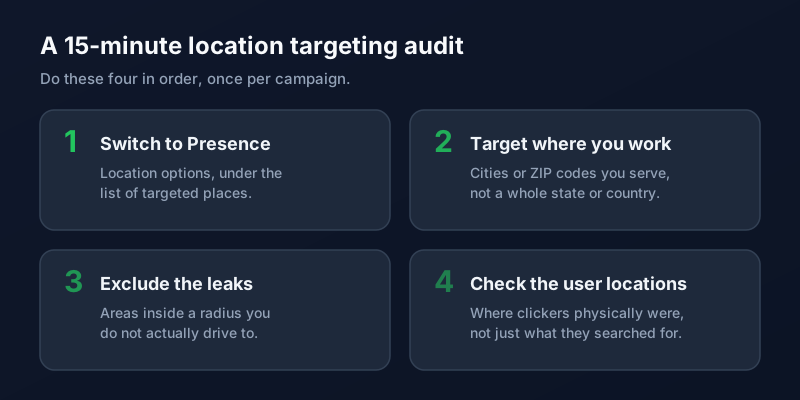
1. Switch to Presence
Open the campaign, go to Settings, then Locations, and expand Location options. Choose the option that targets only people in or regularly in your locations. This single change is usually the biggest win of the four.
2. Target the places you actually serve
A 50 mile radius drawn around your shop often includes a mountain range, a lake, and two towns you would never drive to. Listing the specific cities or ZIP codes you serve gives you a cleaner map and, later, cleaner reporting on which areas convert.
3. Exclude the leaks
If you keep a radius, add exclusions for the pockets inside it that you do not serve. Exclusions work the same way negative keywords do: they are the cheapest way to stop paying for traffic that was never going to turn into a customer.
4. Look at where people really were
Google Ads reports locations two ways: the place a person was interested in, and the place they physically were. The second view is the one that tells the truth. Check it after a couple of weeks. If a meaningful share of clicks still sits outside your area, something in steps one through three needs another look.
What Changes After You Fix It
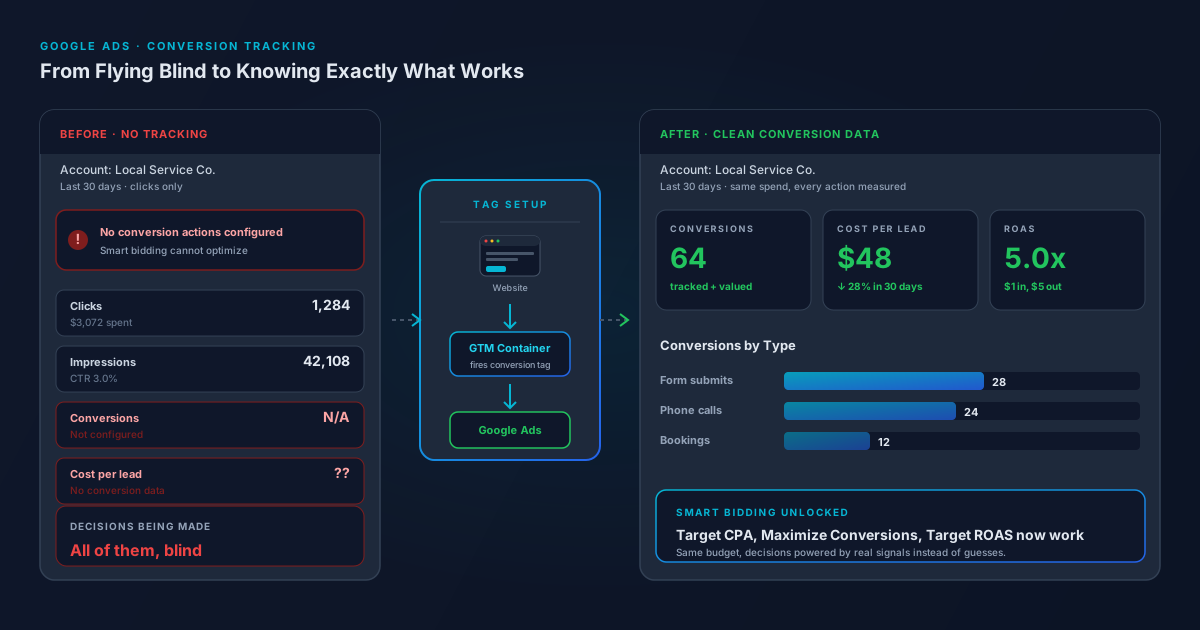
Expect fewer impressions and fewer clicks. That is the point. The clicks you lose were the ones that could never become customers, so your cost per lead usually drops even as total traffic falls. This is also why it pays to have conversion tracking in place first, so you can see leads holding steady while the wasted spend disappears instead of just watching click counts shrink.
Tighter targeting tends to help in quieter ways too. Ads shown to people who can actually hire you get clicked and converted at higher rates, which feeds the signals behind your Quality Score and makes every dollar go a little further.
If you would rather have someone go through every campaign setting with you, our PPC management team starts every new account with exactly this kind of audit. Get in touch and we will show you where your clicks are really coming from.
Frequently Asked Questions
What is the difference between presence and presence or interest in Google Ads?
Presence shows your ads only to people who are in, or regularly in, the locations you target. Presence or interest also includes people anywhere who have shown interest in those locations, such as someone researching a trip there. Local service businesses almost always want Presence, while travel and hospitality businesses usually benefit from interest.
Why are my Google Ads getting clicks from other states?
The most common cause is the Presence or interest location option, which lets people outside your area see your ads if they have searched about your area. Other causes include targeting a very large radius or a whole state, and missing location exclusions. Switch the campaign to Presence and review the user locations report to confirm the fix.
Is radius targeting or ZIP code targeting better for local businesses?
ZIP code or city targeting is usually more precise because it follows the areas you actually serve instead of a perfect circle that ignores geography and drive times. A radius is fine as a starting point, but pair it with exclusions for areas you do not cover.
Will switching to presence targeting lower my traffic?
Yes, impressions and clicks typically drop, because you stop reaching people who cannot become customers. Leads usually hold steady or improve, so cost per lead tends to go down. Watch conversions rather than clicks for the first few weeks after the change.