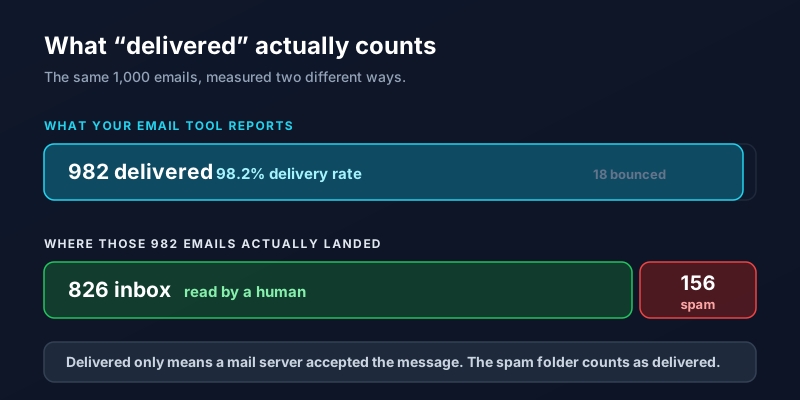
You send a campaign to 1,000 people. Your email platform reports 98% delivered and a 12% open rate, and you conclude that the offer did not land. Often the offer was fine. A slice of that list never saw the email at all, because delivered and inbox are two different things and only one of them is reported to you.
Delivered Only Means a Server Accepted It
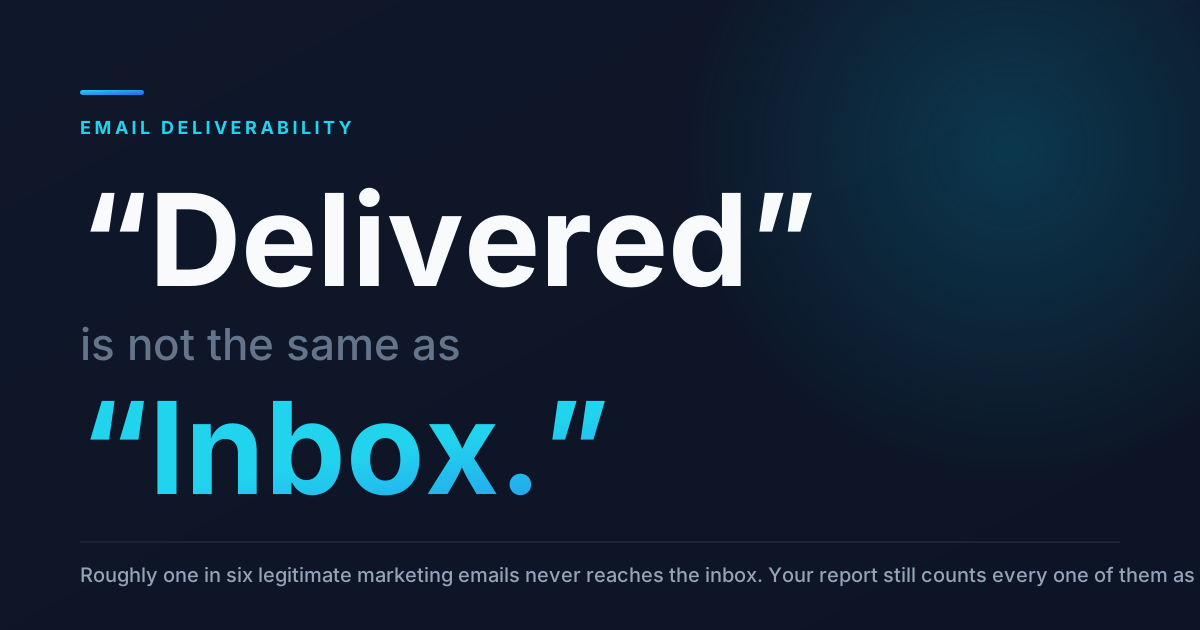
Every email tool measures the same thing: did the receiving mail server take the message, or did it bounce. That is it. Once Gmail accepts a message, it counts as delivered whether it lands in the primary tab, the promotions tab, or the spam folder. Industry inbox placement studies have put the real figure at roughly 83 to 85 percent of legitimate commercial email, which means about one in six of your messages quietly goes somewhere nobody looks.
Nothing in your dashboard will tell you this is happening. The tells are indirect: open rates that drift down month over month, a customer who says they never got the quote, or replies that stop coming from one email provider in particular while another keeps responding normally.
Fix the Three Records First
Before touching your subject lines, prove to inbox providers that you are who you say you are. Three small records live in your domain settings and get checked on every single send.
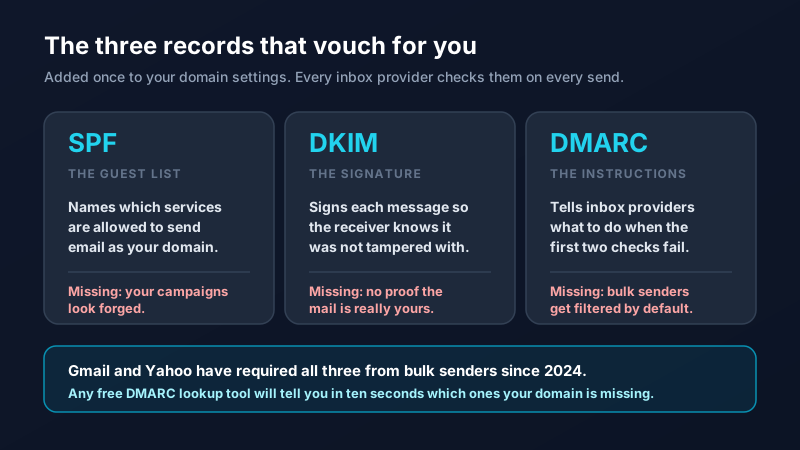
Since 2024, Gmail and Yahoo have required all three from anyone sending in volume. Your email platform publishes step by step instructions for adding them, and a free DMARC lookup tool will show you in seconds which ones your domain is missing. If you only do one thing from this article, do this one.
Stop Sending Campaigns From a Free Address
If your campaigns go out with a from address ending in gmail.com or yahoo.com, you are asking Gmail to accept mail claiming to be from Gmail that was actually sent by a marketing platform. That fails authentication by design, and it is one of the most common reasons a small business list collapses into spam. Send from your own domain instead, and keep the same from name and address on every campaign so that recipients and filters both learn to recognize you.
Your Quietest Subscribers Are the Ones Hurting You
Inbox providers watch what people do with your mail. Opens, replies, and moves out of the spam folder are positive. Deletes without opening, and long stretches of nothing at all, are negative. A list padded with 400 people who have not opened anything in a year drags down the reputation that decides where your next send lands.
The fix feels wrong and works anyway. Every quarter, pull everyone who has not opened or clicked in six months, send them one honest re-engagement email, and remove the ones who ignore it. A smaller list of people who want your mail gets delivered better and earns more, which is the same reason building a list from scratch beats buying one.
What Inside the Email Actually Trips Filters
Most spam word lists floating around the internet are outdated. Modern filters care much more about sender behavior than vocabulary. Still, a few content patterns reliably cause trouble: an email that is one large image with almost no text, links shortened through bit.ly or a similar service, a link to a domain with no reputation, and no plain text version of the message. Fixing those is a fifteen minute job.
Subject lines matter for opens rather than placement, so write them for people rather than filters. Our guide to subject lines that get opened covers that side of it.
The Afternoon Fix List
Run a DMARC lookup and add whichever of SPF, DKIM, and DMARC is missing. Move your from address to your own domain. Send yourself a test to a Gmail, an Outlook, and a Yahoo account and note where each one lands. Suppress everyone who has been silent for six months. Add a plain text version to your template. Then send your next campaign and compare the open rate.
Deliverability is quiet infrastructure. It never shows up as a line item, but it decides whether the welcome sequence you wrote ever gets read. If your open rates have been sliding and you want someone to check the plumbing, get in touch and we will audit it with you.
Frequently Asked Questions
Why are my business emails going to spam?
The most common causes, in order, are missing authentication records (SPF, DKIM, and DMARC), sending from a free address like gmail.com instead of your own domain, and a list full of subscribers who never open anything. Content triggers matter far less than most people assume. Filters weigh who is sending and how recipients have responded in the past more heavily than the words in the message.
What is the difference between delivery rate and inbox placement?
Delivery rate measures whether the receiving mail server accepted your message rather than bouncing it, and the spam folder counts as accepted. Inbox placement measures whether the message reached the main inbox where someone might read it. Email platforms report the first number and not the second, which is why a 98% delivery rate can sit alongside a disappointing open rate.
Do I really need SPF, DKIM, and DMARC for a small business?
Yes, if you send marketing email or automated messages of any kind. Gmail and Yahoo have required all three from bulk senders since 2024, and other providers apply similar rules. Each is a single record added to your domain settings, your email platform gives you the exact values to paste in, and once they are in place they keep working with no maintenance.
Should I delete subscribers who never open my emails?
Remove or suppress them after one re-engagement attempt. Inactive subscribers cost you money in platform fees and cost you inbox placement by lowering your engagement rate, which is one of the strongest signals filters use. Try a single honest email asking whether they still want to hear from you, then clear out everyone who does not respond.
How can I check whether my emails are landing in spam?
Set up a free personal account at Gmail, Outlook, and Yahoo, add all three to your list, and check where each campaign lands. It is not a scientific sample, but it catches the majority of problems and it is free. Seed testing tools give you a broader picture across dozens of providers if you send at higher volume.