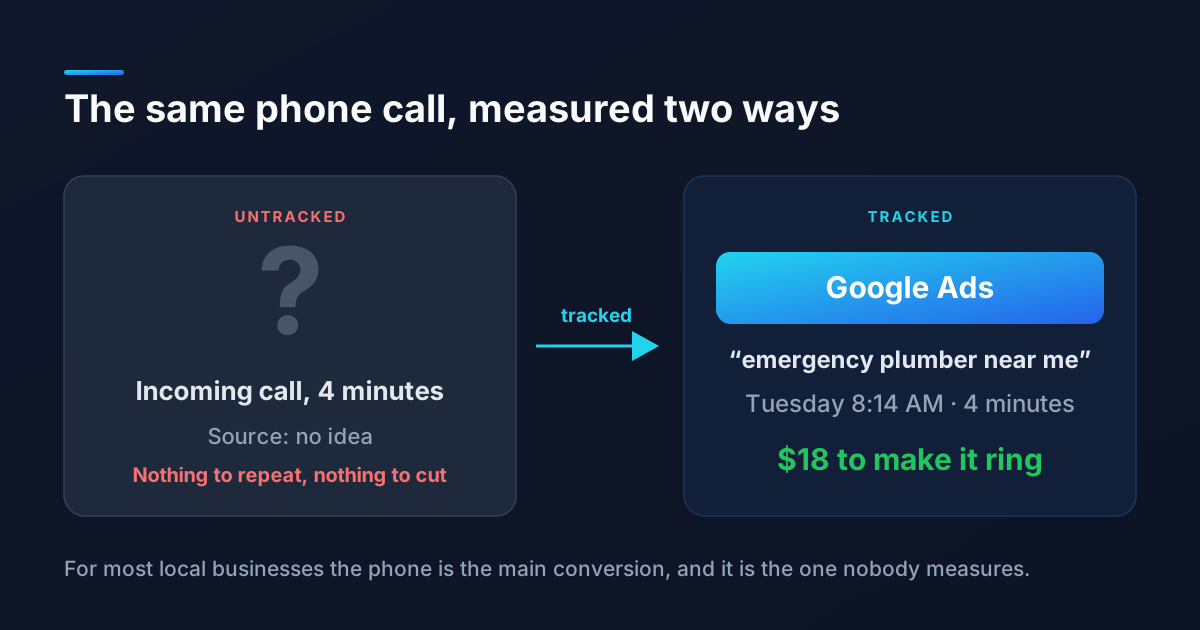
You are spending time and money on your website, your Google listing, maybe some ads. But do you actually know which of those efforts is bringing in customers? Most small business owners are flying blind, and the tool that would answer the question is sitting right there, unused, because it looks intimidating.
That tool is Google Analytics 4, or GA4, and it is free. The interface is busy and the older version worked differently, so plenty of owners open it once, feel lost, and close the tab. The truth is you do not need to master every report. You need about five of them. Here is how to get set up and read the numbers that actually tell you something.
First, Make Sure It Is Actually Installed
GA4 only works if the tracking code is on your site. If you built your site on a platform like WordPress, Squarespace, Wix, or Shopify, there is usually a settings field where you paste your Measurement ID (it starts with the letter G followed by a dash). The cleanest method for most sites is Google Tag Manager, which lets you add analytics and other tracking without editing your site code directly.
Once it is live, open the Realtime report and visit your own site from your phone. If you see one active user pop up on the map, you are collecting data. That five-second check saves people from months of empty reports caused by a tag that was never firing.
The Five Reports That Matter
Ignore the dozens of menu items for now. These five answer almost every question a small business owner has.
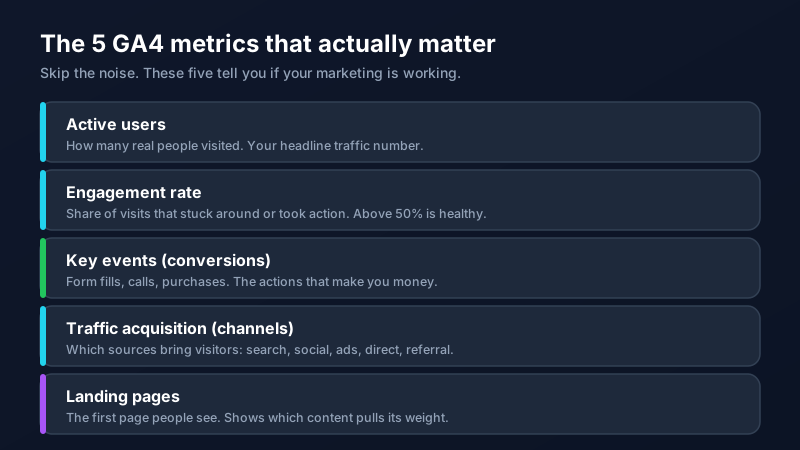
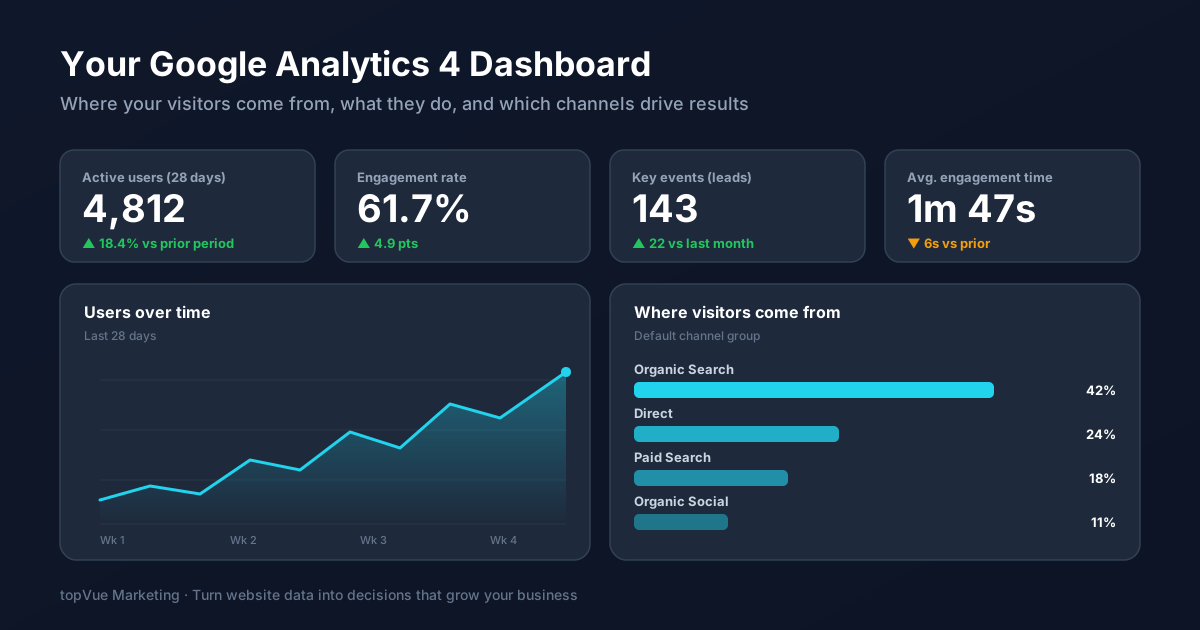
Active users is your headline number: how many real people visited over a given period. Engagement rate is the share of visits where someone stuck around, scrolled, or took an action, and anything above 50 percent is a healthy sign your content matches what people expected. Traffic acquisition shows where those visitors came from, broken into channels like organic search, direct, paid search, and social, so you can see which of your efforts is pulling weight. Landing pages reveals the first page each visitor saw, which tells you what content is doing the heavy lifting. And key events, GA4's word for conversions, counts the actions that actually make you money.
Set Up Conversions, or the Data Is Just Trivia
This is the step almost everyone skips, and it is the one that separates useful analytics from a pile of interesting-but-pointless numbers. Out of the box, GA4 tells you how many people visited. It does not know that a form submission is worth more to you than a scroll. You have to tell it.
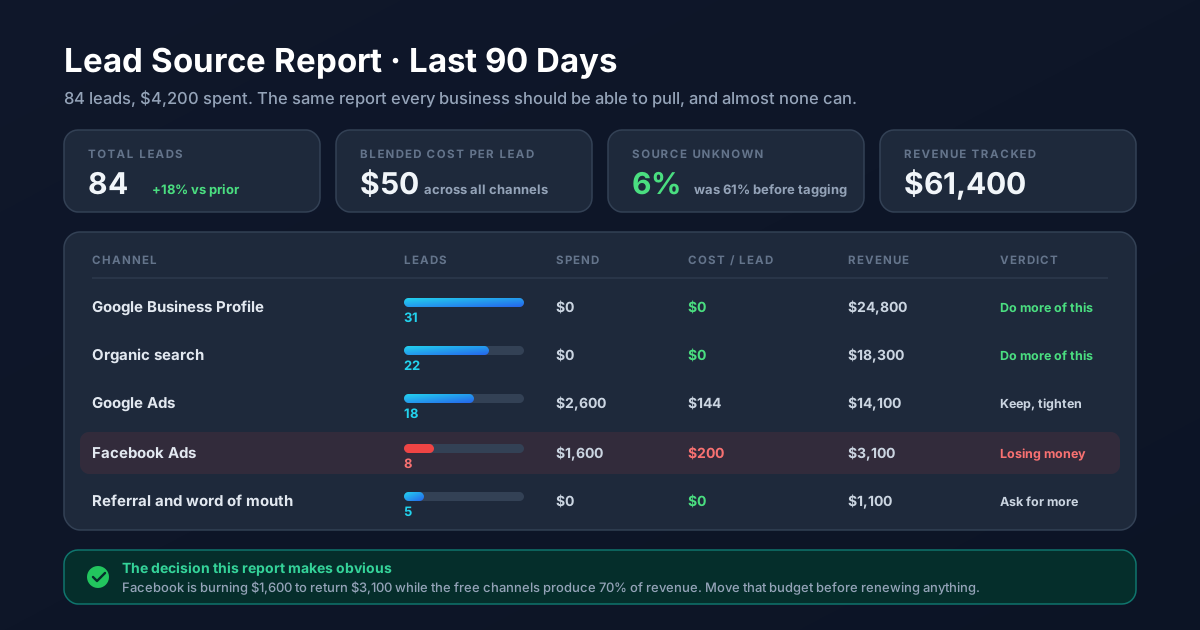
In GA4 these are called key events. Mark the actions that represent a real business outcome: a contact form submission, a click on your phone number, a newsletter signup, a completed purchase. Once those are tracked, you can finally see not just how much traffic each channel sends but how many leads or sales it produces. That is a different and far more valuable question. If you also run ads, pairing this with proper Google Ads conversion tracking closes the loop on what your ad spend actually returns.
Chase Value, Not Vanity
The most common analytics mistake is falling in love with the big, flattering numbers. Ten thousand pageviews feels great until you realize none of those visitors did anything. A metric only earns its place on your report if it changes a decision.
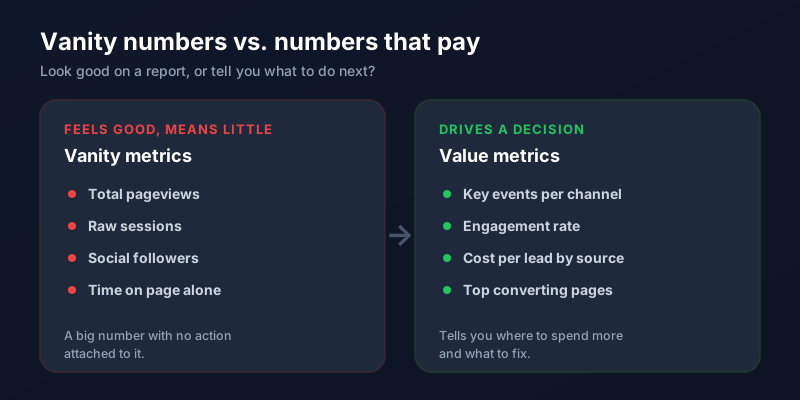
When you look at traffic acquisition and see that organic search drives most of your leads at zero direct cost, that tells you to invest more in SEO and the keyword research behind it. When you see a channel sending lots of visitors but almost no key events, that is a signal to fix the message or stop spending there. Every number should push you toward or away from something.
You do not need to check GA4 daily. A focused look once a month at those five reports, with conversions properly tracked, will teach you more about your marketing than any guess. If wiring up the tracking or making sense of the reports feels like more than you want to take on, our team can set it up and turn the numbers into a plan.
Frequently Asked Questions
Is Google Analytics 4 free?
Yes. GA4 is completely free for the vast majority of businesses. There is a paid enterprise version (Google Analytics 360) built for very high-traffic sites, but a typical small or medium business will never come close to its limits and can run everything it needs on the free version.
How do I know if Google Analytics is installed correctly?
Open the Realtime report in GA4, then visit your own website from your phone or another device. If you see at least one active user appear within a few seconds, tracking is working. If it stays at zero, your tag is either missing or not firing, and that needs to be fixed before any other report will show accurate data.
What is a key event in GA4?
A key event is GA4's term for a conversion: a specific action you have flagged as important, such as a contact form submission, a phone number click, a newsletter signup, or a purchase. Until you mark these actions as key events, GA4 only counts visits, not the outcomes that grow your business.
What is a good engagement rate in GA4?
Engagement rate varies by industry and traffic source, but as a general benchmark, above 50 percent is healthy and above 60 percent is strong. A low engagement rate usually means visitors are not finding what they expected, which points to a mismatch between your traffic source, your headline, or your page content.
How often should I check my analytics?
For most small businesses, a focused review once a month is plenty. Daily checking leads to overreacting to normal day-to-day swings. Set a recurring time each month to look at your five core reports, compare them to the prior period, and decide on one or two changes based on what you see.